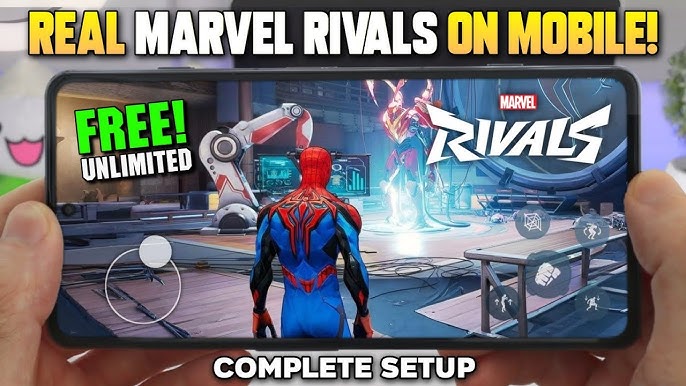
Marvel Rivals Mobile is one of the biggest hero shooters of 2024–2025. If you’re looking to play it on your phone, here’s everything you need to know — from cloud streaming options to what a future mobile port might look like.
Contents
- What is Marvel Rivals?
- Is Marvel Rivals on Mobile?
- 3 Ways to Play on Mobile Right Now
- Best Method: GeForce NOW Setup Guide
- Cloud Services Compared
- Mobile Performance Tips
- Will Marvel Rivals Get a Native Mobile App?
- FAQ
What is Marvel Rivals Mobile?
Marvel Rivals is a free-to-play, third-person team-based hero shooter developed by NetEase Games in collaboration with Marvel Games. It launched in December 2024 and quickly became one of the most-played games on Steam.
You assemble a 6-player squad from a roster of iconic Marvel characters — Iron Man, Spider-Man, Storm, Loki, and many more — and battle in destructible, ever-changing arenas. A unique Team-Up system lets certain hero combinations unlock special combo abilities, rewarding strategic squad building over raw individual skill.
FreeTo play on PC & console
40+Playable heroes
S7Current season (2025)
The game features full crossplay between PC, PlayStation, and Xbox. Regular seasonal updates introduce new heroes, maps, and content — including Elsa Bloodstone joining the roster in Season 6.5.
Is Marvel Rivals Available on Mobile?
Not natively. There is no official Marvel Rivals app on the Google Play Store or the Apple App Store. The game is currently released only on:
Official Platforms
| PC (Windows) | Steam & Epic Games Store — free to play |
| PlayStation 5 | PlayStation Store — free to play |
| PlayStation 4 | Available since September 2025 |
| Xbox Series X|S | Microsoft Store — free to play |
| iOS / Android | Yes with APKREY |
Game director Thaddeus Sasser confirmed in an interview that “there are no discussions” about a handheld version due to technical restrictions. Despite community speculation about possible Android UI testing spotted in development logs, NetEase has made no official announcement about a mobile port.
3 Ways to Play Marvel Rivals Mobile Right Now
Even without a native app, you have real options. Cloud gaming streams the PC version directly to your phone — no gaming PC required in some cases.
Best Option
GeForce NOW
Free tier available / from $9.99/mo
Nvidia’s cloud gaming platform streams Marvel Rivals from high-end servers. Available on iOS and Android. Requires a Steam account to link your game library.
✓ No gaming PC needed
✗ Free tier has queue waits
✓ High quality streaming
✗ Needs Steam account
Steam Link
Free — requires your own PC
Stream Marvel Rivals from your own gaming PC to your phone over Wi-Fi or 5G. Low latency when on the same network. Free and simple to set up.
✓ No subscription needed
✗ Requires gaming PC
✓ Excellent home Wi-Fi quality
✗ Limited away from home
JoyArk
Pay-per-hour or subscription
Mobile-first cloud platform that runs games on its own servers. No gaming PC required. Max resolution 900p — performance is more variable than GeForce NOW.
✓ No PC required
✗ Lower resolution cap
✓ Flexible pricing
✗ Slower game updates
Best Method: GeForce NOW Setup Guide
GeForce NOW is the most reliable way to play Marvel Rivals on mobile. Here’s the full setup process:
- Create a Steam account at store.steampowered.com if you don’t have one. Marvel Rivals is free to play — just search, click Install, and it will appear in your library.
- Sign up for GeForce NOW at nvidia.com/geforce-now. The free tier works fine for casual play — if you want to avoid queue times, the Performance tier ($9.99/mo) or Ultimate tier ($19.99/mo) offer priority access and higher quality.
- Download the GeForce NOW app from the iOS App Store or Google Play Store.
- Link your Steam account inside the GeForce NOW app settings. This grants access to your Marvel Rivals library on the cloud server.
- Search for Marvel Rivals inside the app, tap Play, and the session will launch. Free users may wait in a queue first.
- Connect a controller for the best experience. A Bluetooth controller (Xbox, PlayStation, or any MFi-certified controller for iOS) makes the fast-paced gameplay far more manageable than touch controls alone.
Performance tip: Start at 1080p / 60 FPS settings. If you notice lag or input delay, lower the bitrate before reducing resolution — this usually gives a smoother result. Use a 5 GHz Wi-Fi network or a stable 5G connection for best results.
Cloud Services Compared
| Feature | GeForce NOW | Steam Link | JoyArk |
|---|---|---|---|
| Gaming PC required | ✓ No | ✗ Yes | ✓ No |
| Free option | ✓ Yes (queues) | ✓ Fully free | ~ Pay-per-hour |
| Max resolution | 4K (Ultimate) | Depends on your PC | 1600×900 |
| iOS support | ✓ Yes | ✓ Yes | ✓ Yes |
| Android support | ✓ Yes | ✓ Yes | ✓ Yes |
| Crossplay preserved | ✓ Yes | ✓ Yes | ✓ Yes |
| Away from home | ✓ Works on 5G | ✗ Limited | ~ Variable |
Mobile Performance Tips
Network
Use a 5 GHz Wi-Fi connection wherever possible — 2.4 GHz has more interference and higher latency. If on mobile data, 5G networks work well; 4G LTE is borderline for competitive play. Keep your PC on Ethernet if using Steam Link.
Controller setup
Marvel Rivals is a fast-paced hero shooter — touch controls alone are a real disadvantage in competitive matches. Any Bluetooth controller works on Android. For iOS, use an MFi-certified controller or a PlayStation / Xbox controller paired via Bluetooth. Tablets (especially iPad) offer a larger target area and better aiming precision than phones.
Settings to start with
Set in-game graphics to Medium, resolution to 1080p, and frame rate target to 60 FPS. Once stable, increase resolution to 1440p if your connection holds. Do not run at 4K on mobile — the bandwidth demand causes more stuttering than the visual improvement is worth.
Hero recommendations for mobile play
On a controller via cloud, ranged and stationary heroes are easier to play effectively. Storm, Scarlet Witch, and Loki reward positioning over mechanical precision. Save high-mobility heroes like Spider-Man for when you’re on a proper setup.
Will Marvel Rivals Get a Native Mobile App?
Current status: No confirmed plans
NetEase has not announced a Marvel Rivals mobile port. Game director Thaddeus Sasser stated there are “no discussions” about a mobile version due to technical restrictions. However, several factors make it a realistic long-term possibility:
- NetEase is a Chinese developer with deep mobile expertise
- The studio previously created Marvel Super War (a Marvel mobile game) in 2020
- NetEase has shipped other mobile shooters including Hyper Front and Disorder
- The mobile gaming market — especially in Asia — is enormous
- Community speculation points to possible Android UI testing in dev logs (unconfirmed)
Watch the official Marvel Rivals website and NetEase social channels for any future announcements.
Frequently Asked Questions
Can I download Marvel Rivals Mobile on Android?
No native download exists. Marvel Rivals is not on the Google Play Store. You can play it on Android via GeForce NOW or JoyArk cloud streaming.
Can I download Marvel Rivals on iPhone?
No. There is no App Store listing for Marvel Rivals. iPhone and iPad users can access the game through the GeForce NOW app or the Steam Link app, streaming the PC version.
Is Marvel Rivals free to play on mobile via cloud?
The game itself is free (you need a free Steam account). GeForce NOW offers a free tier with queue waits. Steam Link is fully free but requires your own gaming PC. So yes — you can play at zero cost, though paid tiers improve the experience.
Does playing via cloud gaming count toward my stats and rank?
Yes. Cloud gaming streams the actual PC version of the game. Your account progress, rank, and all stats carry over normally, and crossplay with PC and console players is preserved.
Is Marvel Rivals coming to mobile in 2025 or 2026?
There is no confirmed release date or even an official announcement. As of early 2026, the game director has stated there are no active plans for a mobile port. Check official channels for updates.
What Marvel mobile games are available right now?
Marvel Rivals Mobile (card strategy), Marvel Strike Force (RPG), and Marvel Contest of Champions are the main active Marvel mobile titles. Marvel Super War (a MOBA by NetEase) was available but had its servers shut down. Marvel Rivals itself remains PC and console only.